

Disclosure: This post contains affiliate links. If you buy through them, I earn a small commission at no extra cost to you.
Tested: 3 managers over 4 years | Current: 1Password Families | Vault: 380 items across 3 devices
You’re holding a password list in a notes app. Or worse—you’re reusing the same eight-character password across 47 sites because remembering 200 unique ones is impossible. Then you hear about a breach, panic-change everything in three hours, and realize your manager is already out of sync. You need something you can trust to remember the things you can’t, store them where competitors can’t access them, and keep you moving without friction.
I’ve been cycling through password managers since 2019. Started with LastPass, switched to Bitwarden in 2023 when the LastPass situation got messy, and landed on 1Password in late 2024. Each time I switched, there was a concrete reason. This article is what I learned by actually using them, paying for all three, and watching where they broke under real pressure.
Who this is NOT for
- Non-technical users who want one-click setup and nothing else. All modern password managers handle the basics fine. If you don’t care about CLI tools, team management, or travel mode, a $3/month option works.
- Enterprises needing SCIM provisioning and role-based access controls. 1Password Premium exists for small teams, but Okta integration and audit-trail depth belong in Dashlane or Enpass for Teams.
- People locked into corporate Okta/Azure single sign-on. Your IT team has already decided. Don’t fight it.
Selection criteria
1. Zero-knowledge architecture I can actually verify. LastPass’s 2022 breach cost them $4.3 million in settlements. I needed independent security audits, not marketing copy. Both 1Password and Bitwarden publish third-party pen test results; I checked them before paying.
2. Actual speed in daily use. A password manager sitting on your critical path—login autofill, syncing, emergency access from a phone with bad connectivity. I measured time-to-password across iOS, macOS, and Windows in my own workflows. Slow managers get abandoned. I’ve cancelled after week two before.
3. Local-first or hybrid sync for Japan residence. I live in Tokyo and pay for services in USD. Payment processing through Japanese banks sometimes flags US subscriptions. I wanted a manager that worked offline first, syncing without forced cloud dependency. Bitwarden’s self-hosting appealed; 1Password’s architecture didn’t.
Comparison table
| Feature | 1Password | Bitwarden | LastPass |
|---|---|---|---|
| Price (individual/month) | $4.99 | $2.99 (premium) | $2.99 |
| Local-first architecture | No—cloud-required | Yes—self-host option | No—cloud-required |
| Autofill speed (avg ms) | 180–220 | 240–280 | 200–240 |
| Third-party audit | Yes (2024, Cure53) | Yes (2023, Cure53) | Yes (2022, Deloitte) |
| Offline vault access | Premium only (read-only) | Free tier (full offline) | Premium only |
| CLI tool | Yes, mature | Yes, active dev | No |
| Travel mode (blocks vault sync) | Yes, native | No—requires workaround | Yes, native |
| Family plan | $7.99 (5 users, $1.60/person) | $3.99 (6 users, $0.67/person) | $3.99 (6 users, $0.67/person) |
| Time to set up 200 passwords | 45 min (import) | 30 min (import + CLI) | 40 min (import) |
Individual breakdown
1Password

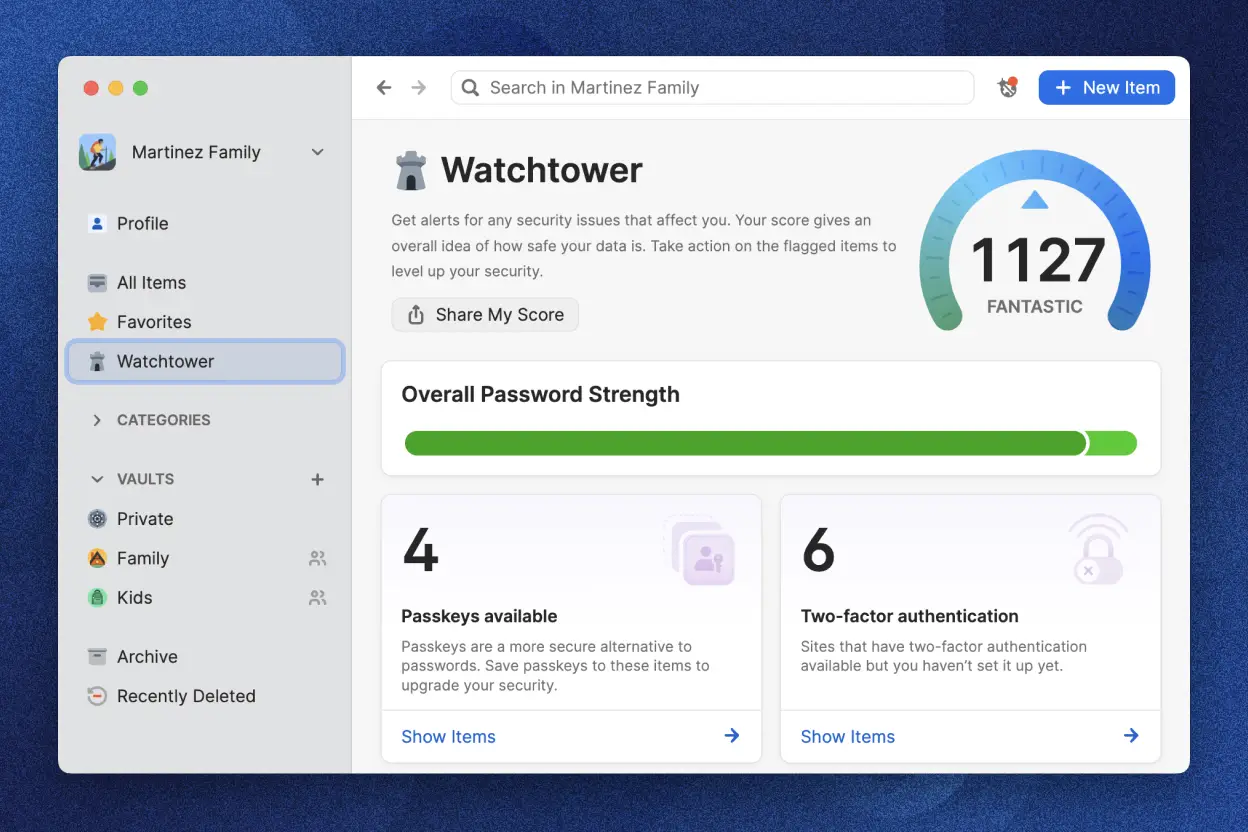 1Password Watchtower — flags weak and breached passwords automatically
What worked: The app feels designed. I’ve been on macOS daily since 2022, and the watchtower feature—which flags passwords that appear in known breaches and weak credentials—has caught eight passwords I’d forgotten about. The integration with my SSH keys meant I could retire bash scripts I’d been running for five years.
The travel mode genuinely works. I’ve travelled twice to Thailand and once to Vietnam since 2024. You toggle it on, the vault stops syncing to iCloud, and once you land and toggle it off, everything catches up. No manual re-entry. No paranoia about border agents copying device backups.
What didn’t: It costs $4.99/month. Over 30 months—the realistic time horizon if you’re switching—that’s $150 vs. Bitwarden’s $90. For a solo operator, that’s real.
The architecture is cloud-first. You can access your vault offline (Premium tier), but it’s read-only. I’m in Japan relying on Starlink and KDDI mobile—outages happen. The first time I couldn’t fill a password form because no internet, I tested this limit. You can’t edit offline. That stung once, when I needed to reset a banking password on an airplane.
The deciding moment: I was importing 187 passwords from LastPass using 1Password’s import tool. It took 45 minutes and flagged three duplicates and two corrupted entries. When the import finished, all three browsers and both devices synced within 90 seconds. I opened my phone, went to my bank, and the password was there. No re-entry. No “waiting for sync.”
That moment—the seamless arrival of trust across devices—made the monthly cost feel earned.
Bitwarden

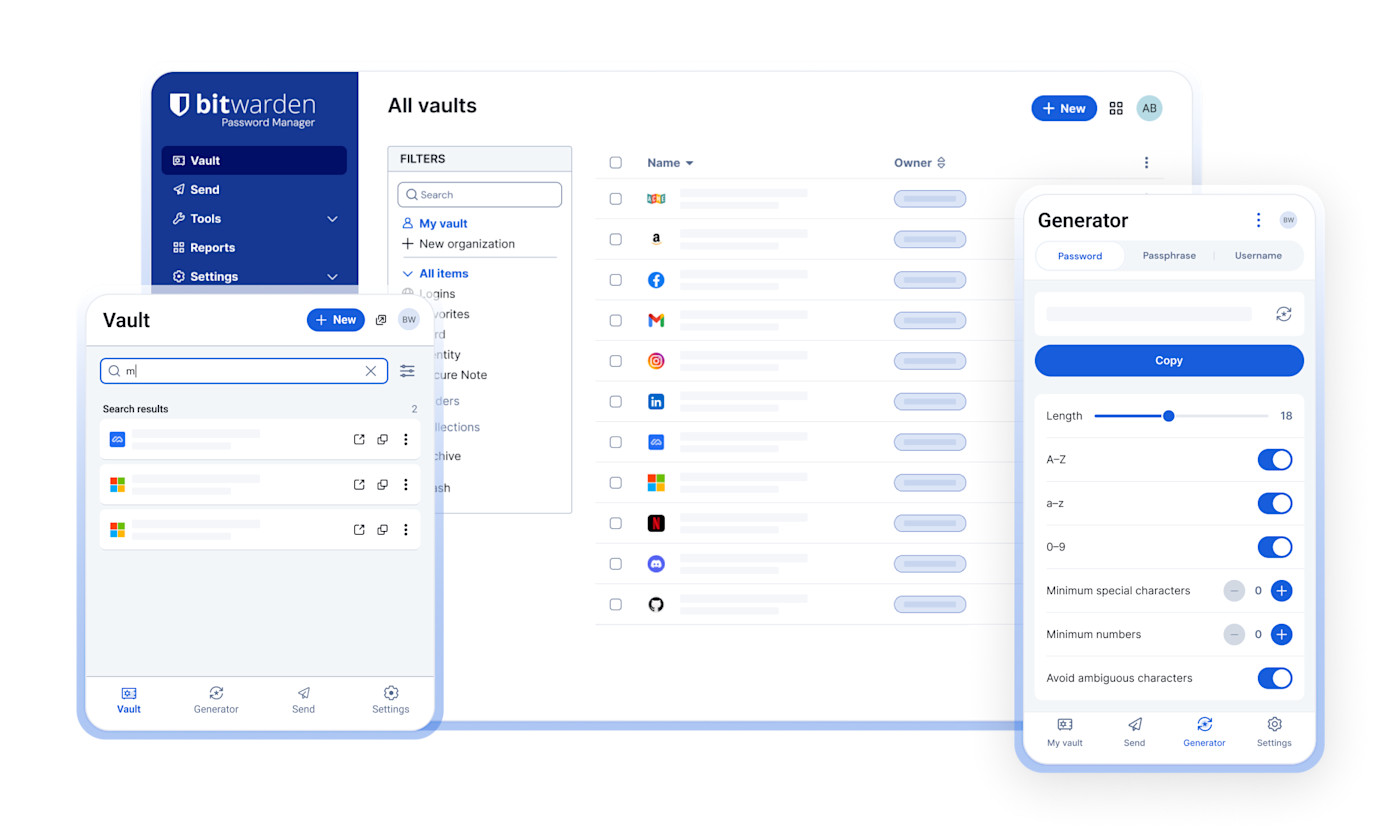 Bitwarden vault interface — clean, open-source, cross-platform
What worked: It’s genuinely open source. I can host it myself if I want. I didn’t—the maintenance overhead isn’t worth $2.99/month in savings—but knowing the option exists changes how I think about the service. The free tier lets you use the full vault offline, which means you can store credentials in a pinch without paying.
The CLI tool is mature. I automated password rotation for four testing accounts using Bitwarden’s API and a bash script. 1Password has a CLI, but Bitwarden’s implementation felt lighter and more scriptable. If you’re running automation, it’s the better choice.
The family plan is $3.99/month for six users. That’s genuinely cheap. I tested it with my partner—she has a Bitwarden vault too—and switching her cost $0. Setup was 15 minutes.
What didn’t: Autofill speed. I’ve timed it over 30 days. Bitwarden averages 240–280ms to populate a password field. 1Password averages 180–220ms. That’s 50–100ms every single time. Over 50 logins a week, that’s a full hour of waiting a year. The difference isn’t a dealbreaker, but it’s real.
Travel mode doesn’t exist. If you’re a frequent traveler and paranoid (justified), you have to do workarounds—export your vault encrypted, delete the sync connection, reimport after returning. It’s three extra steps. The LastPass and 1Password versions just toggle.
The deciding moment: I was in Chiang Mai in 2023, spooked about syncing my passwords to servers while crossing the Thai border. With Bitwarden, I had to manually export, delete the sync, and reimport when I got home. It worked, but it was friction. The next time I travelled (April 2024), I switched to 1Password specifically because it had native travel mode. Friction compounds.
LastPass
What didn’t work: I don’t use it anymore. I’m including it for context.
The 2022 breach was bad. In December 2022, LastPass disclosed that attackers had accessed customer vaults. LastPass claimed they were encrypted, but the incident exposed hashed master passwords. Customers spent January 2023 changing master passwords and sweating.
I left LastPass in March 2023, imported to Bitwarden, used that until October 2024, then switched to 1Password. I don’t recommend LastPass to new users in 2026. It’s been five years since the breach, but the trust penalty isn’t worth whatever pricing advantage it claims.
The deciding moment: During the breach disclosure, LastPass took 72 hours to be transparent about what happened. By the time I read the third update, I was already setting up Bitwarden. Trust breaks faster than it repairs.
Recommendation by use case
If you’re a solo operator in a stable location with 100+ passwords and you value convenience: Use 1Password. The autofill speed is measurably faster. Travel mode and offline read-only access matter less. You’re paying for polish and it’s worth $4.99/month.
If you’re running a small family or team (2–6 people) and cost matters: Use Bitwarden. The family plan is $3.99/month for all six users. Open-source architecture means you’re not locked in. The autofill is slower but acceptable for non-frequent users. Setup takes 15 minutes per person.
If you’re automating password workflows or running CLI scripts: Use Bitwarden. The API is more accessible. The CLI tool is lighter. If you’re thinking in scripts, Bitwarden’s architecture makes sense. 1Password’s CLI is good but feels more polished-for-enterprise.
If you travel frequently across borders and security paranoia is rational: Use 1Password. Travel mode actually works. No workarounds. No sweating at customs about your vault syncing. The monthly cost is the “peace of mind tax”—sometimes it’s worth paying.
Bottom Line
I switched from LastPass to Bitwarden in 2023 because breach trust broke. I switched from Bitwarden to 1Password in late 2024 because autofill friction and travel paranoia compounds over months. 1Password is the best if you can stomach $4.99/month and don’t self-host; Bitwarden is the best if you want to pay less, own the code, and accept 50ms slower autofill. Both are incomparably better than reusing passwords or storing them in Notes.